Networking Examples
Wavetool supports MADI USB interfaces and networked audio interfaces such as Dante.
Using Wavetool with MADI
Wavetool is compatible with audio via MADI. Split the MADI signal from your stage rack and plug it in to a MADI interface in your computer. You can then listen to the MADI feed with headphones, through an external sound card, or over Wi-Fi on iOS devices. For an example of a Wavetool system using MADI for live sound, see the diagram below.

Using Wavetool with Dante networks
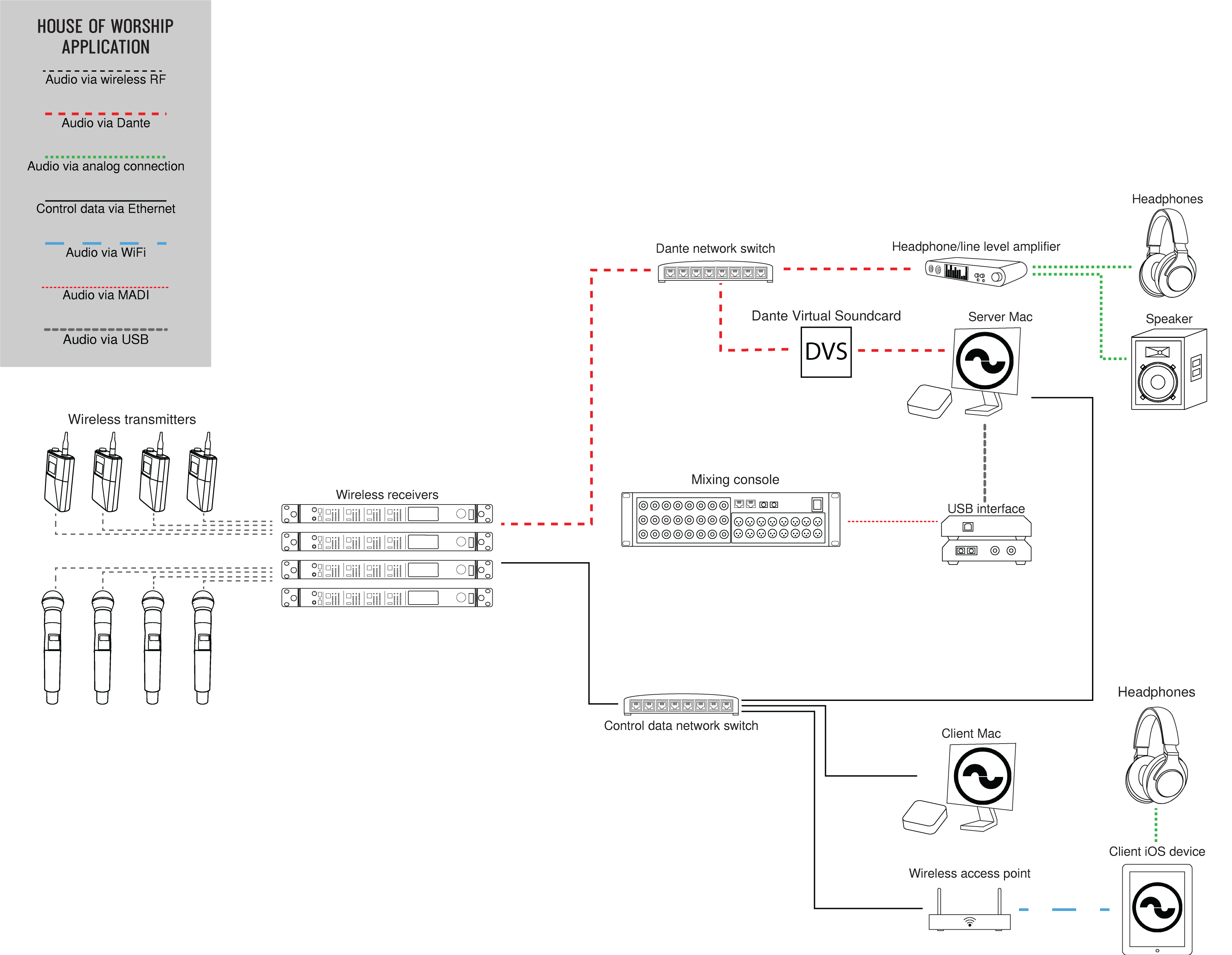
Wavetool is compatible with channels from a Dante audio network via Dante Virtual Soundcard from Audinate. You can then stream your monitor feed output back to Dante Virtual Soundcard, or via headphones from the computer. For an example of a Wavetool system using Dante for theater and houses of worship, see the diagrams below.